MyLedger - Help - Import & Export
Contents
- How to import data from .gnucash files stored on cloud storage services like OneDrive?
- How to import data from .gnucash files attached to an email?
- How to export data to .gnucash files stored on cloud storage services like OneDrive?
How to import data from .gnucash files stored on cloud storage services like OneDrive?
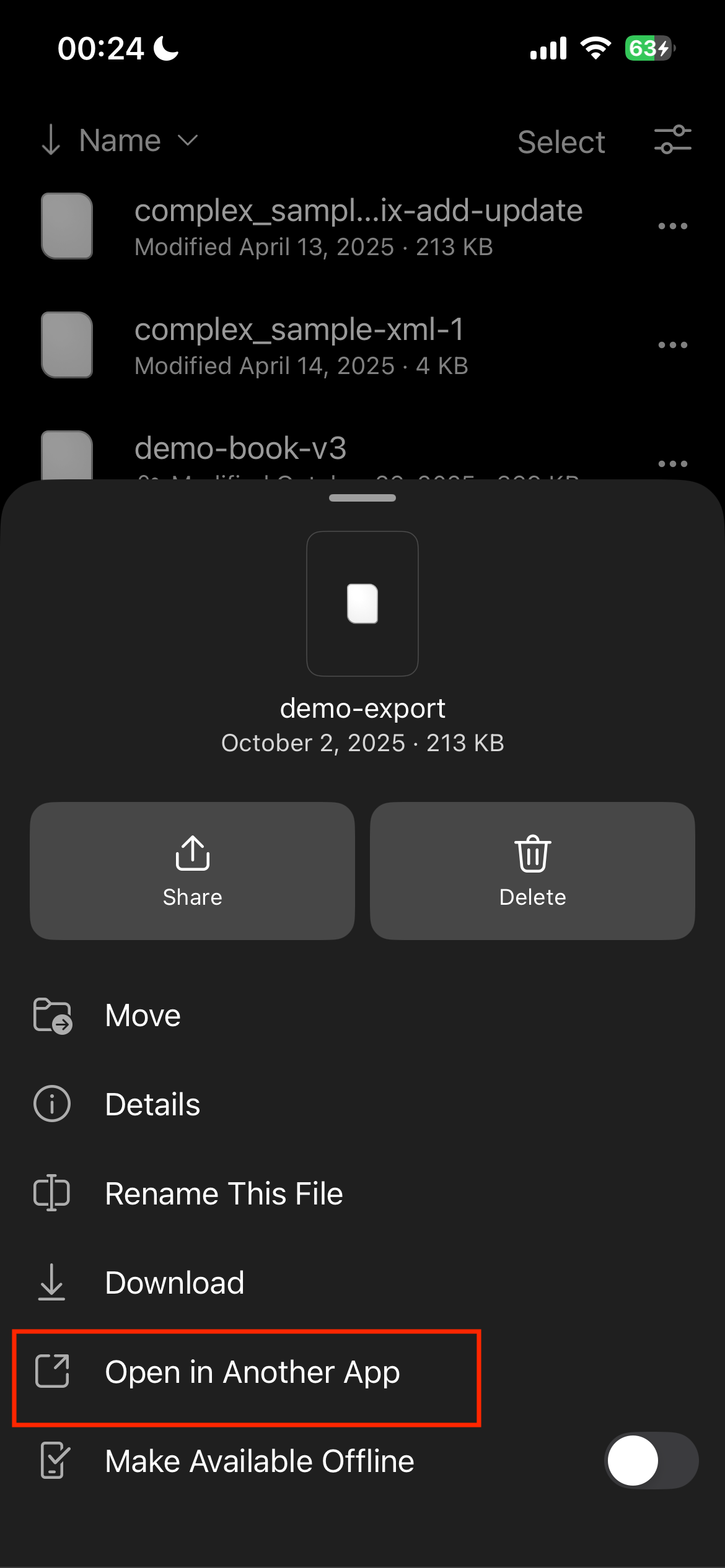
- Tap the ‘…’ on the right side of a .gnucash file.

- Tap ‘Open in Another App’.
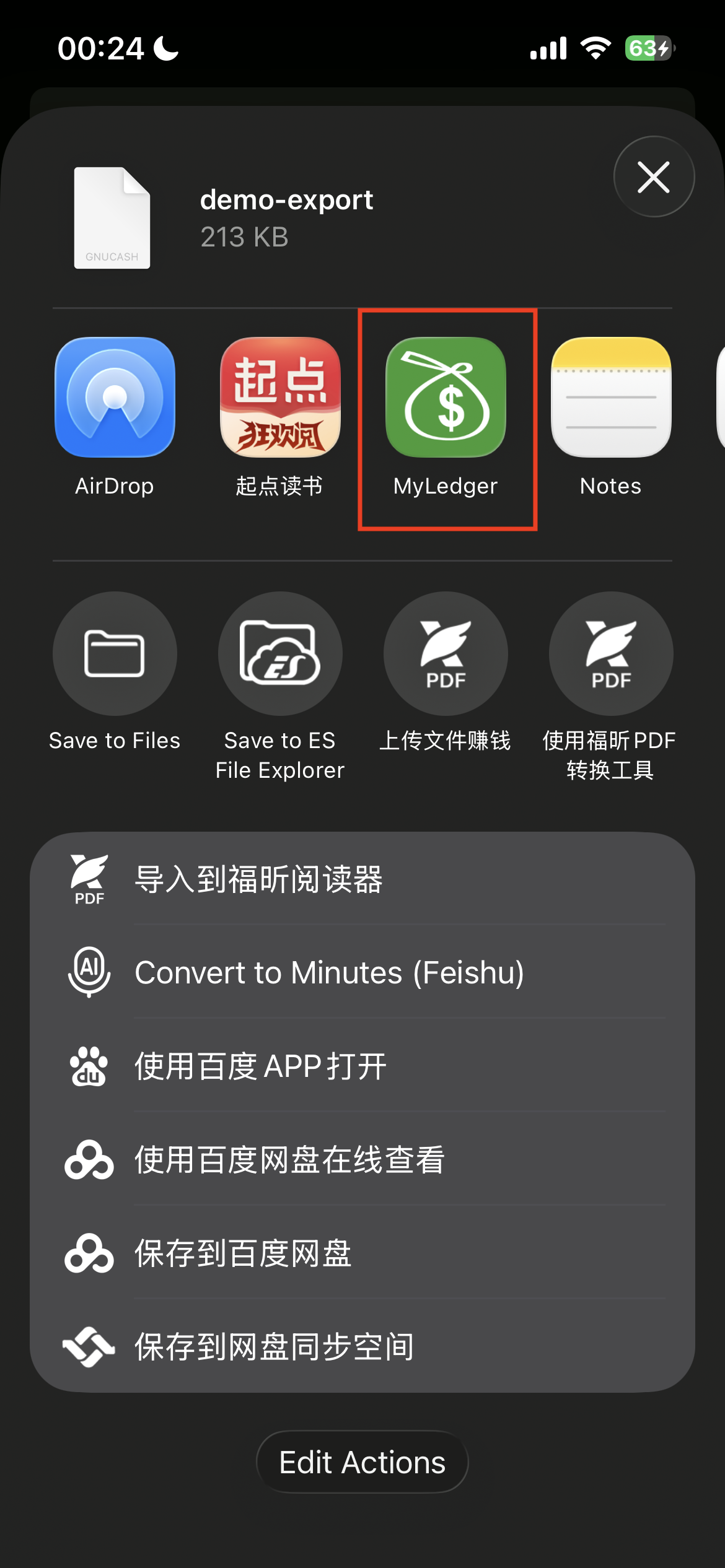
- Tap ‘MyLedger’ icon. Now you can import the data from this .gnucash file.
How to import data from .gnucash files attached to an email?
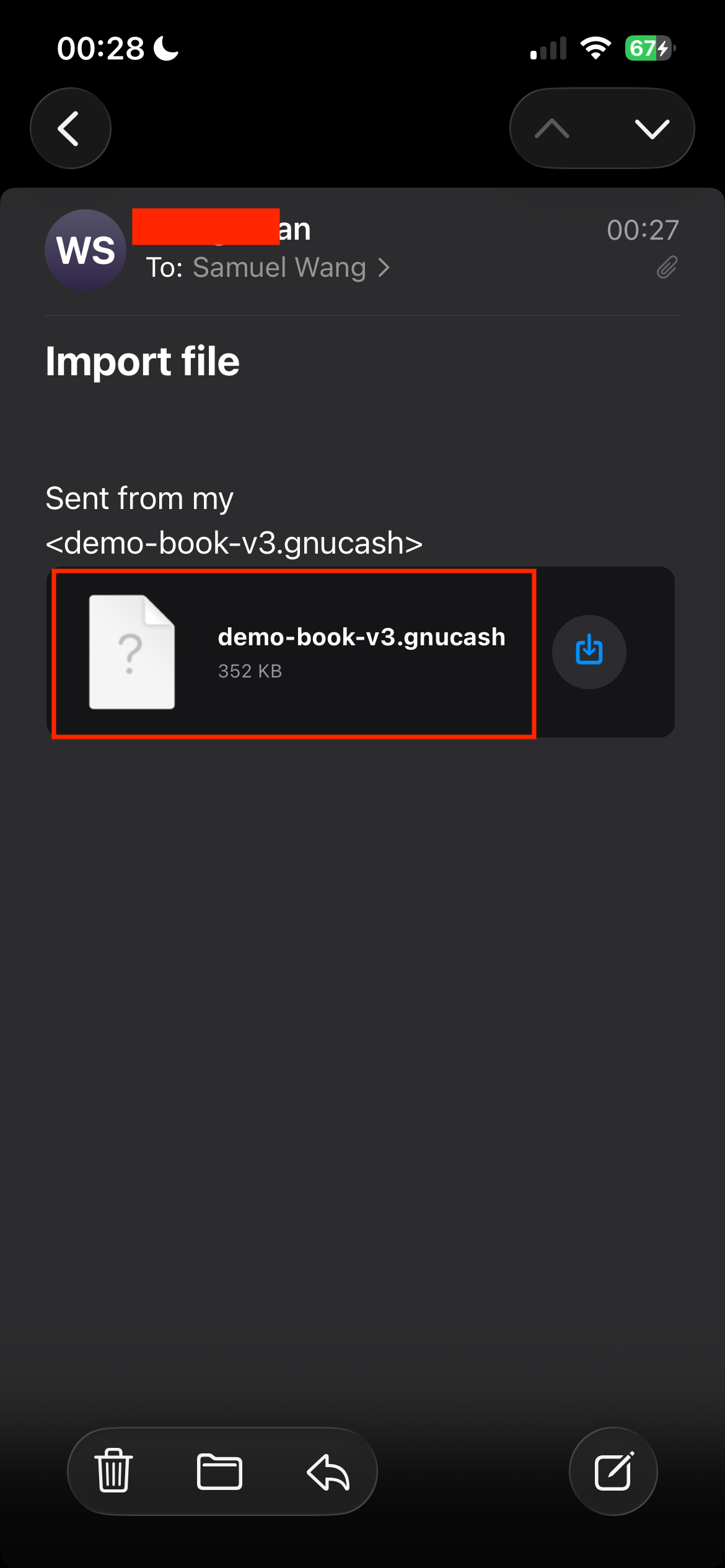
- Tap the the .gnucash file attachment in a mail.
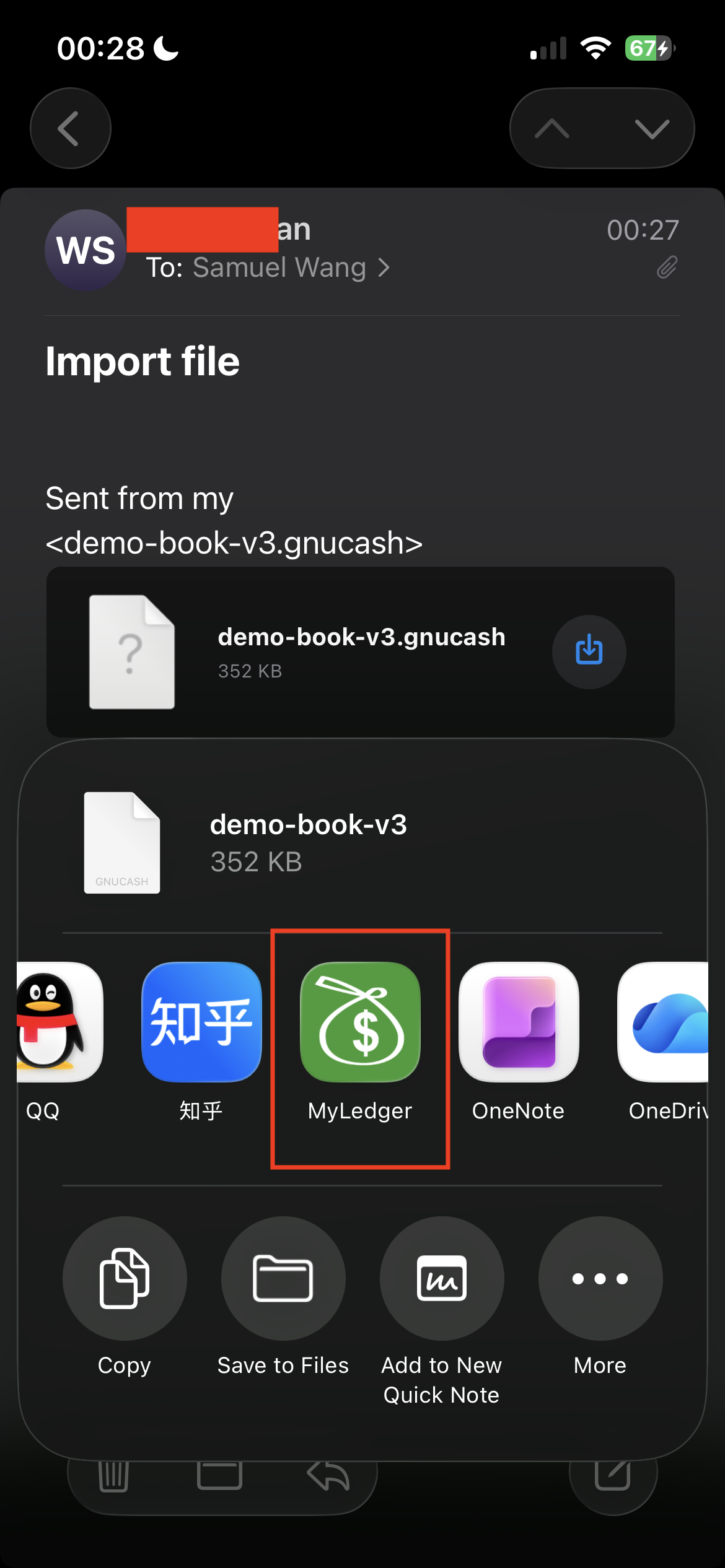
- Tap ‘MyLedger’ icon. Now you can import the data from this .gnucash file.
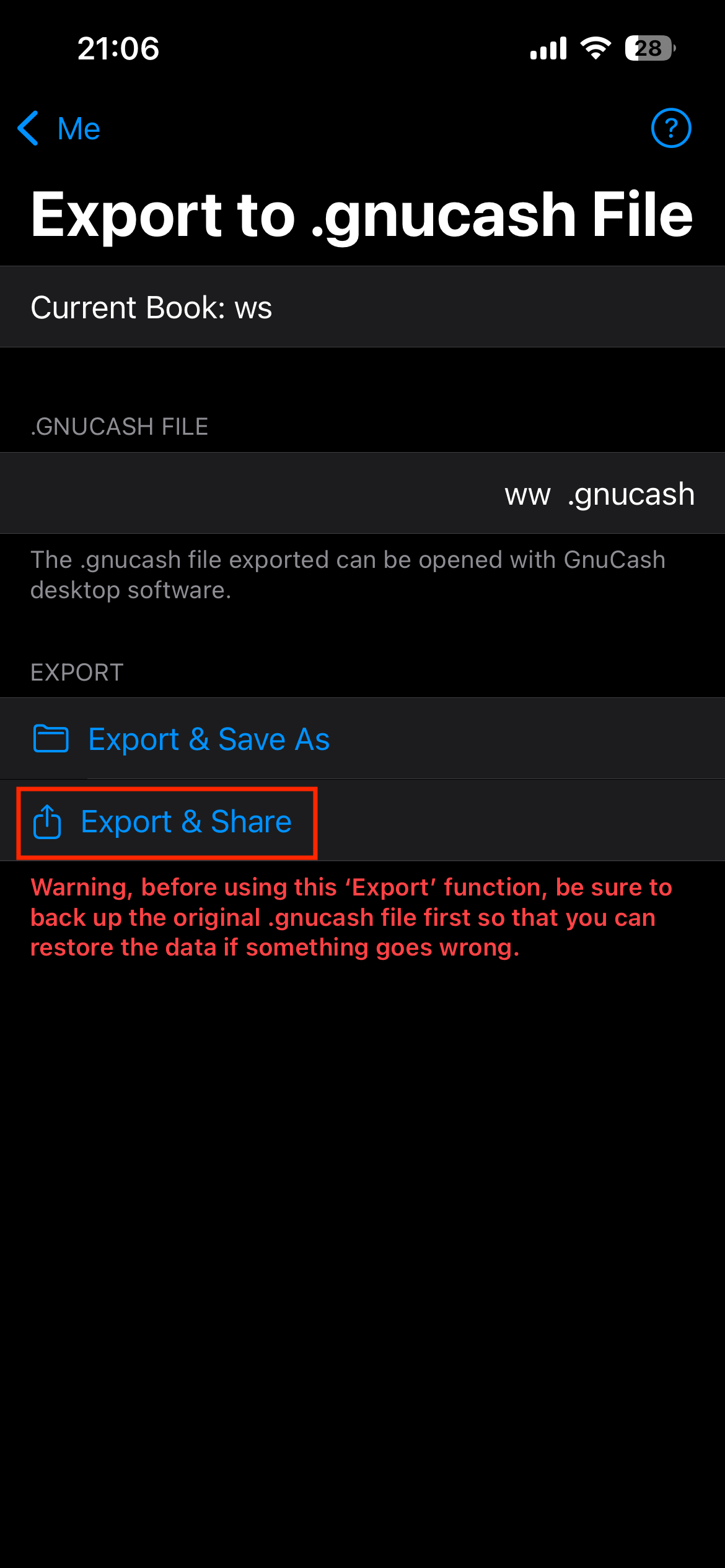
How to export data to .gnucash files stored on cloud storage services like OneDrive?
- Tap the ‘Export & Share’.
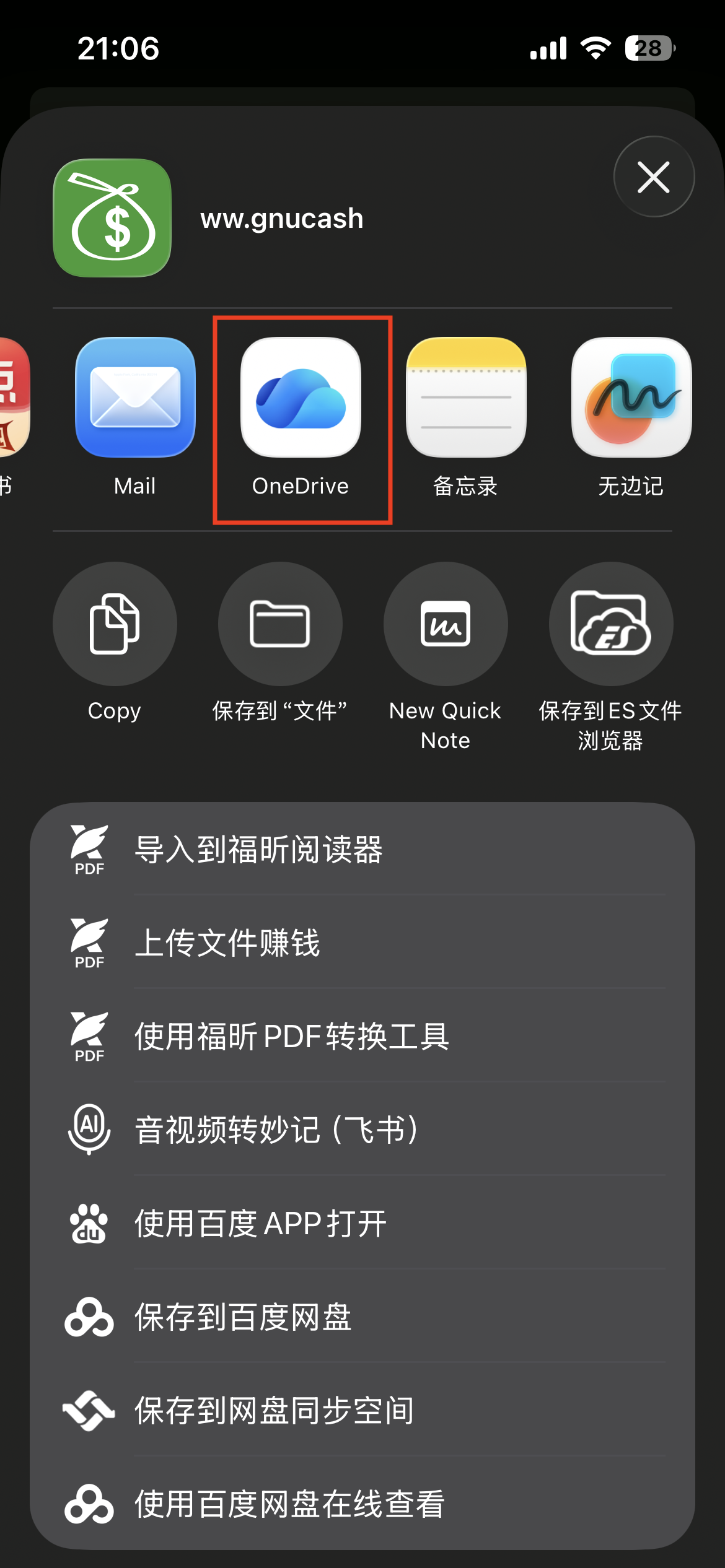
- Tap ‘OneDrive’ icon.
- Tap ‘Upload to OneDrive’.
