MyLedger - Help - Budget
Contents
- Introduction
- How to new, delete, and modify a budget?
- How to set the planned value of the budget and view the actual value?
- How to copy budget plan values from other periods?
Introduction
The budgeting function employs the same concepts as GnuCash and is compatible with it. Please refer to the relevant official GnuCash documentation:
How to new, delete, and modify a budget?
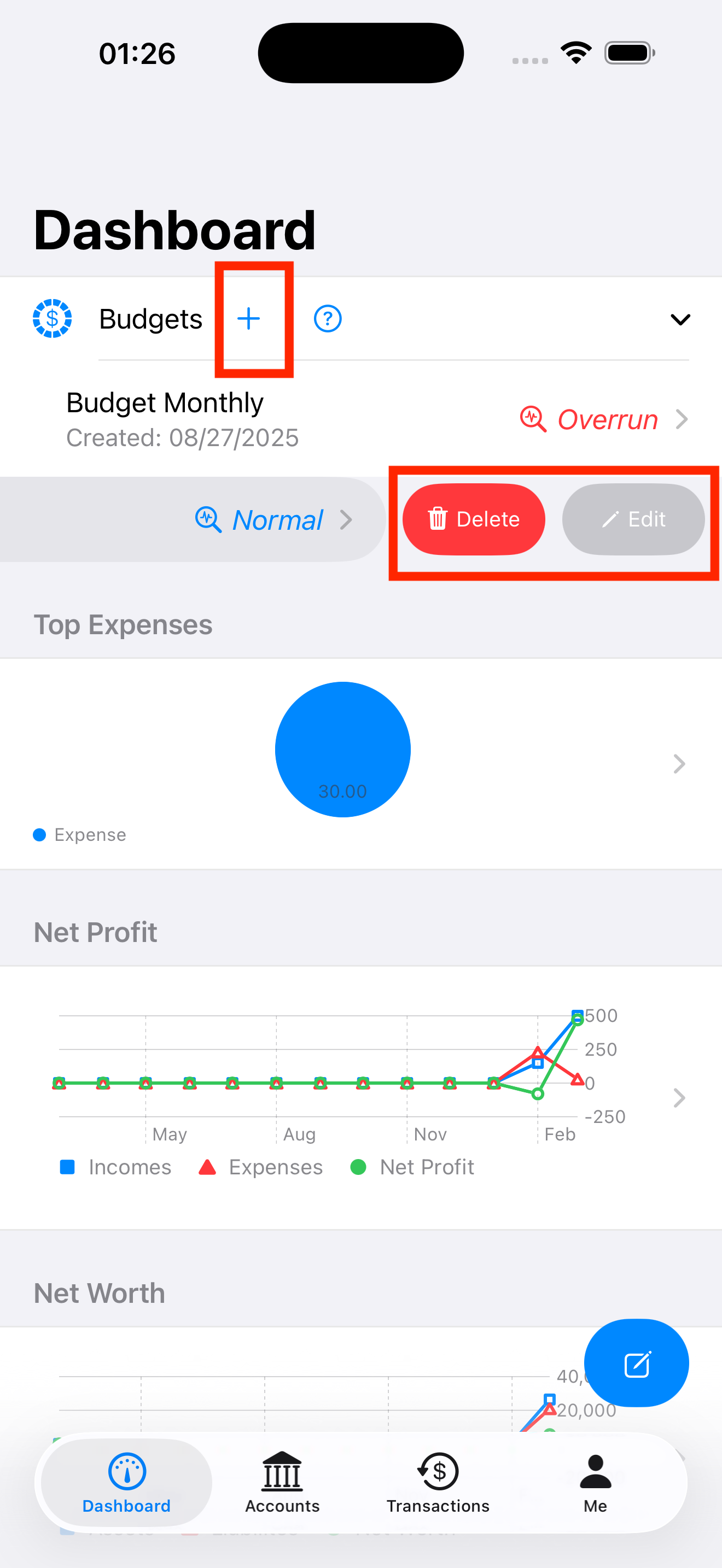
Slide your finger left on a budget, which reveals the actions you can do on that budget. See the figure below. You can google the swipe gesture if you are not familiar with this operation.
How to set the planned value of the budget and view the actual value?
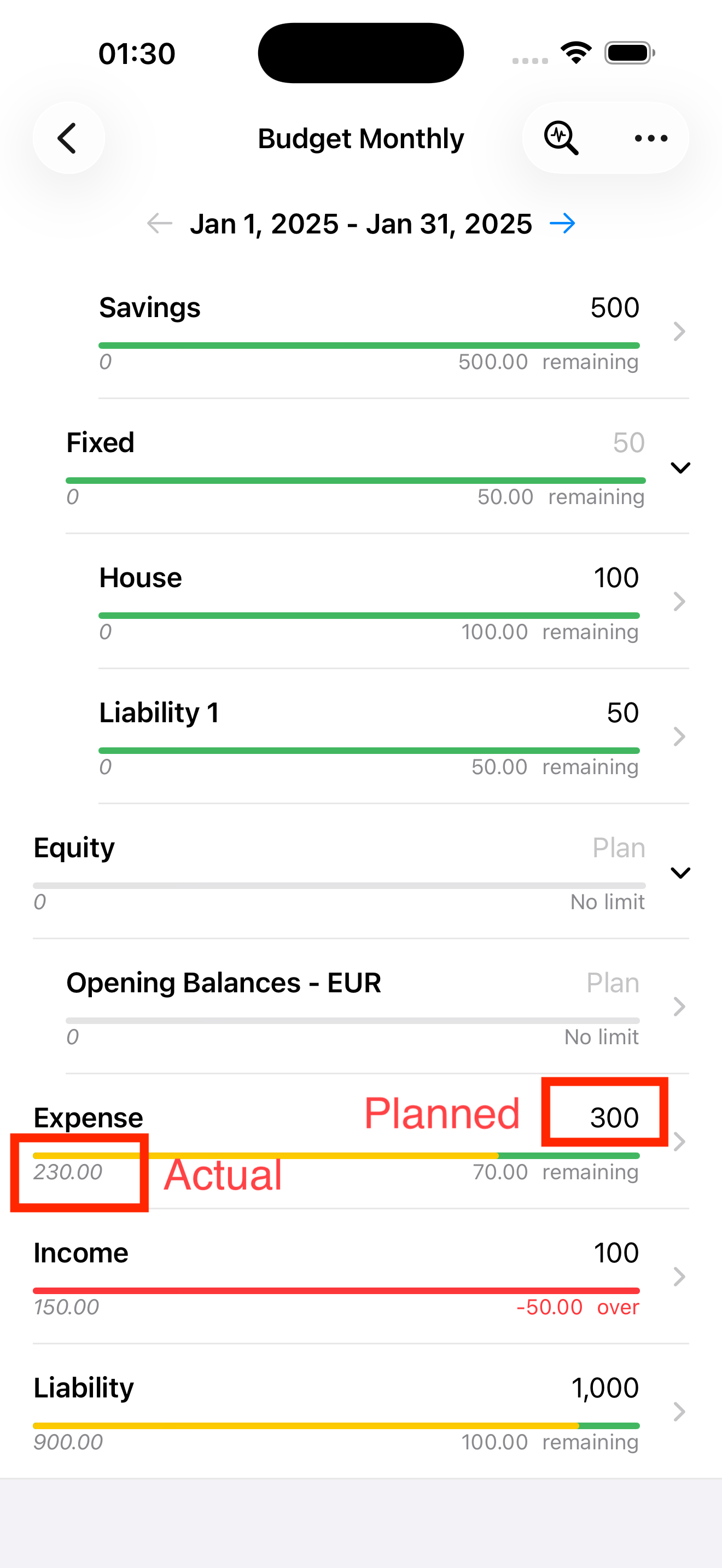
As shown in the figure below, you can set the budget plan value for each account and view the corresponding actual value in real time.
How to copy budget plan values from other periods?
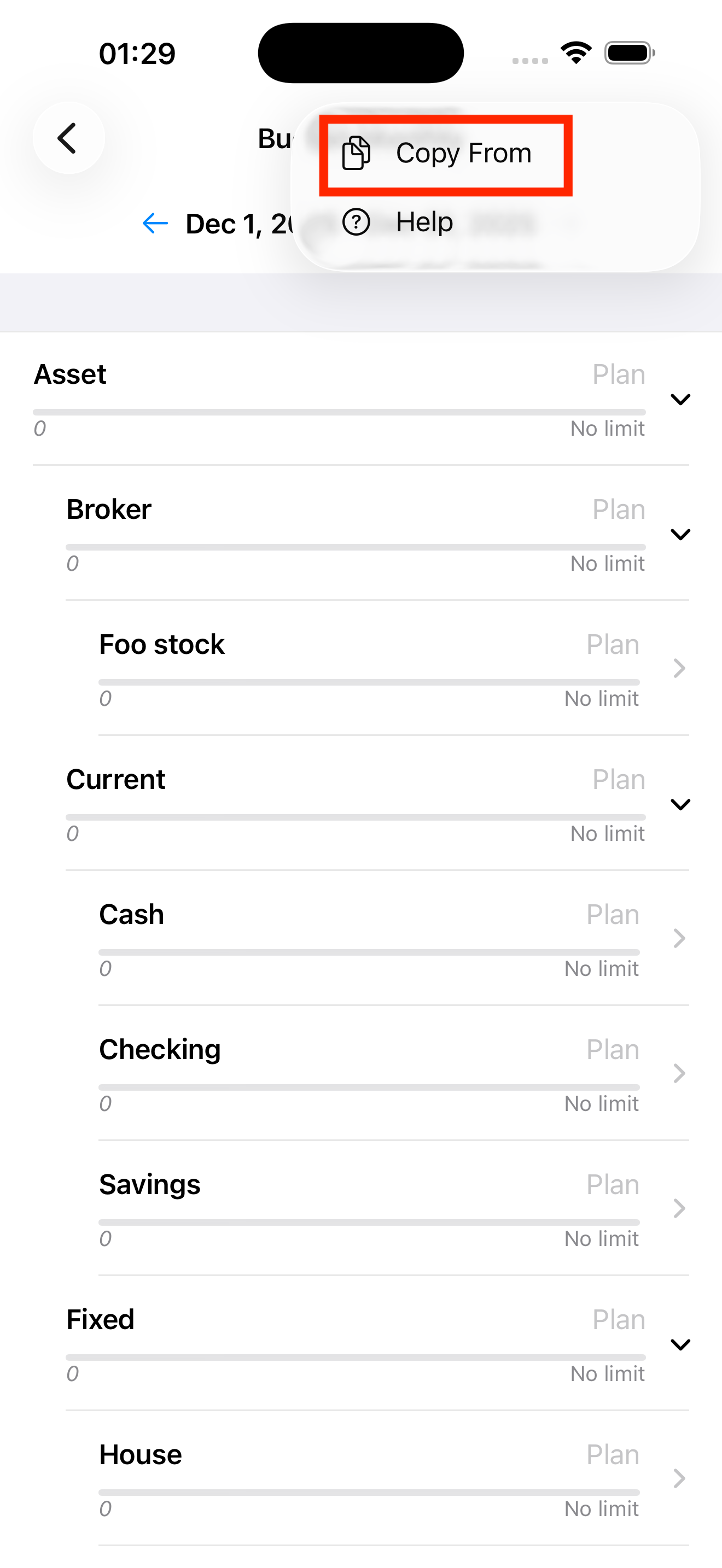
As shown in the figure below, you can use the ‘Copy From’ menu in the upper right corner to copy planned values from other budget periods to the currently open period.